Business Portal

Context

The Business Portal project aims to revolutionize the way Bezeq Business customers manage their communication services. By consolidating multiple service management tools into a single, user-friendly platform, the portal positions Bezeq as a leader in technological innovation, enhancing customer experience and operational efficiency.
Role

Solo UX Designer

Team

9 Team Members

Timeline

7 Monthes

Project Objectives

  • Establish Bezeq Business as a technological innovator.
  • Improve accessibility and management of services.
  • Increase transparency by simplifying the display of service data.
  • Reduce the volume of calls to technical and commercial support centers.
  • Create added value to enhance customer loyalty.

Results

  • 12% reduction in call center support requests
  • 41% of users actively engaged with new features like the Energy dashboard and Bcam service within the first three months
  • 15% growth in active user numbers year-over-year
  • Positive feedback from 84.3% of surveyed users
Research

User interviews

Our research aimed to understand the needs and challenges of Bezeq Business customers in managing their services without a centralized platform. We hypothesized that users were struggling with fragmented service management, relying on multiple systems and traditional support channels to handle various tasks, leading to inefficiencies and frustration. We anticipated that navigation difficulties, a lack of real-time feedback, and disjointed access to service data were major pain points affecting their daily operations.

User interviews and feedback confirmed these assumptions, revealing a strong desire for a unified platform that could provide comprehensive access to all service data, simplify navigation, and offer real-time updates. Despite these obstacles, users expressed a clear need for an intuitive, customizable solution that could streamline their workflows and reduce reliance on manual support. This insight shaped the development of the Business Portal, focusing on creating a centralized, user-friendly interface that empowers customers to manage their services more efficiently and independently.

Building information architecture

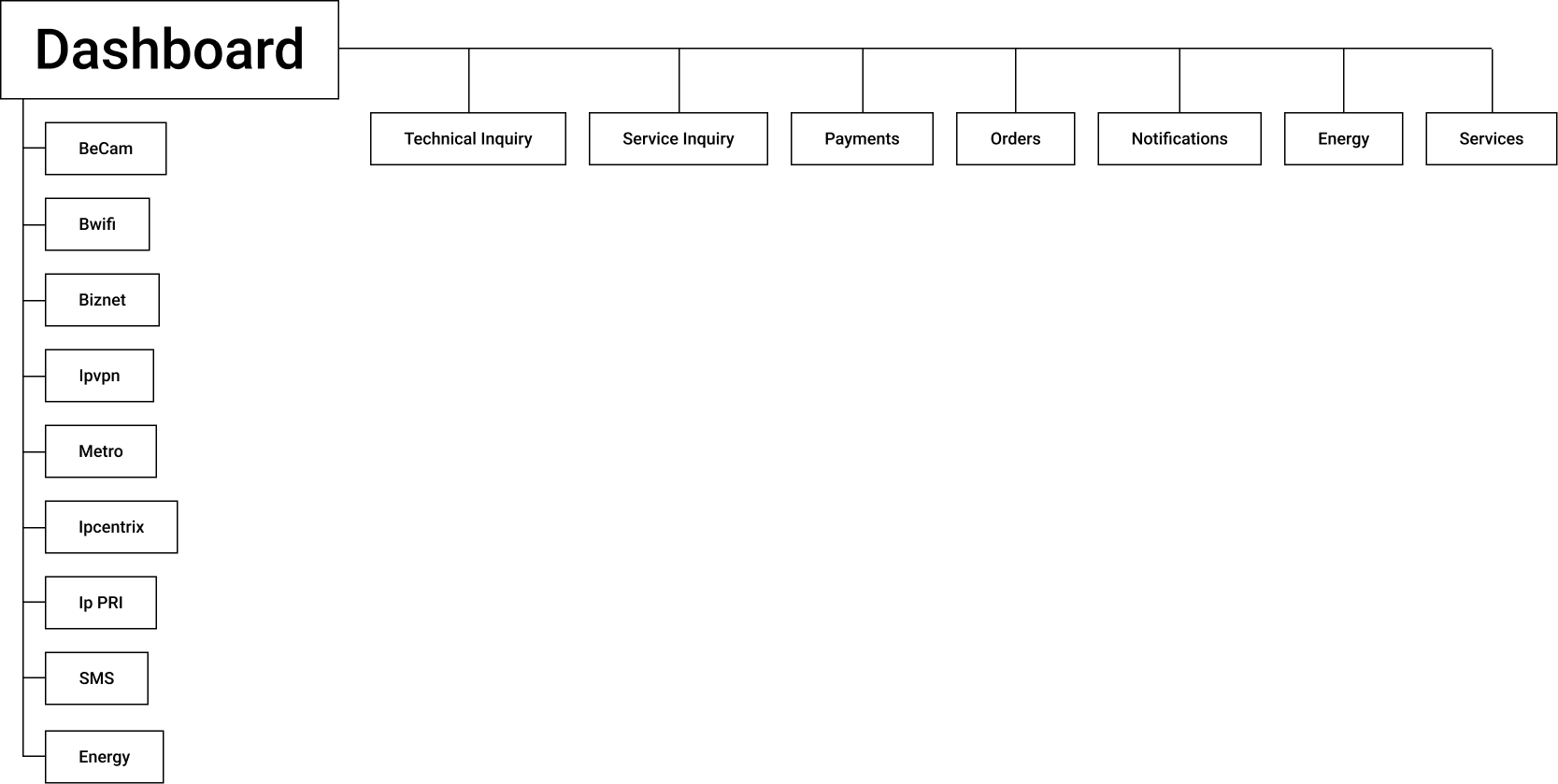
The information architecture of the Business Portal was crafted to provide a streamlined and intuitive user experience, focusing on easy access to all key services and data. This layout ensures that users can quickly navigate to the information they need, view real-time service statuses, manage orders, and access all critical business data from one centralized dashboard, enhancing efficiency and decision-making.

Ideation

Transforming Insights into User-Centric Design Solutions

i was trying to tests different arrangements of key elements like service status, alerts, and quick access widgets to enhance clarity and user interaction. The goal is to streamline navigation, prioritize critical information, and create a more intuitive and user-friendly.

Testing

Insights: Key Gaps and Improvement Needs

User testing showed the wireframes are user-friendly but lacks clear terminology, real-time notifications, and self-service options for complex requests. These gaps push users to rely on support calls, highlighting the need for improved feedback, mobile usability, and expanded functionality

Solution

Efficient Service Overview Tool

To improve the Business Portal, focus on providing real-time feedback, enhancing mobile usability, and expanding self-service options for complex tasks. Simplify navigation with clearer terminology, and introduce customizable access controls for managers. These changes will boost user engagement, reduce reliance on support, and make the portal a more effective business tool.

Final Screens

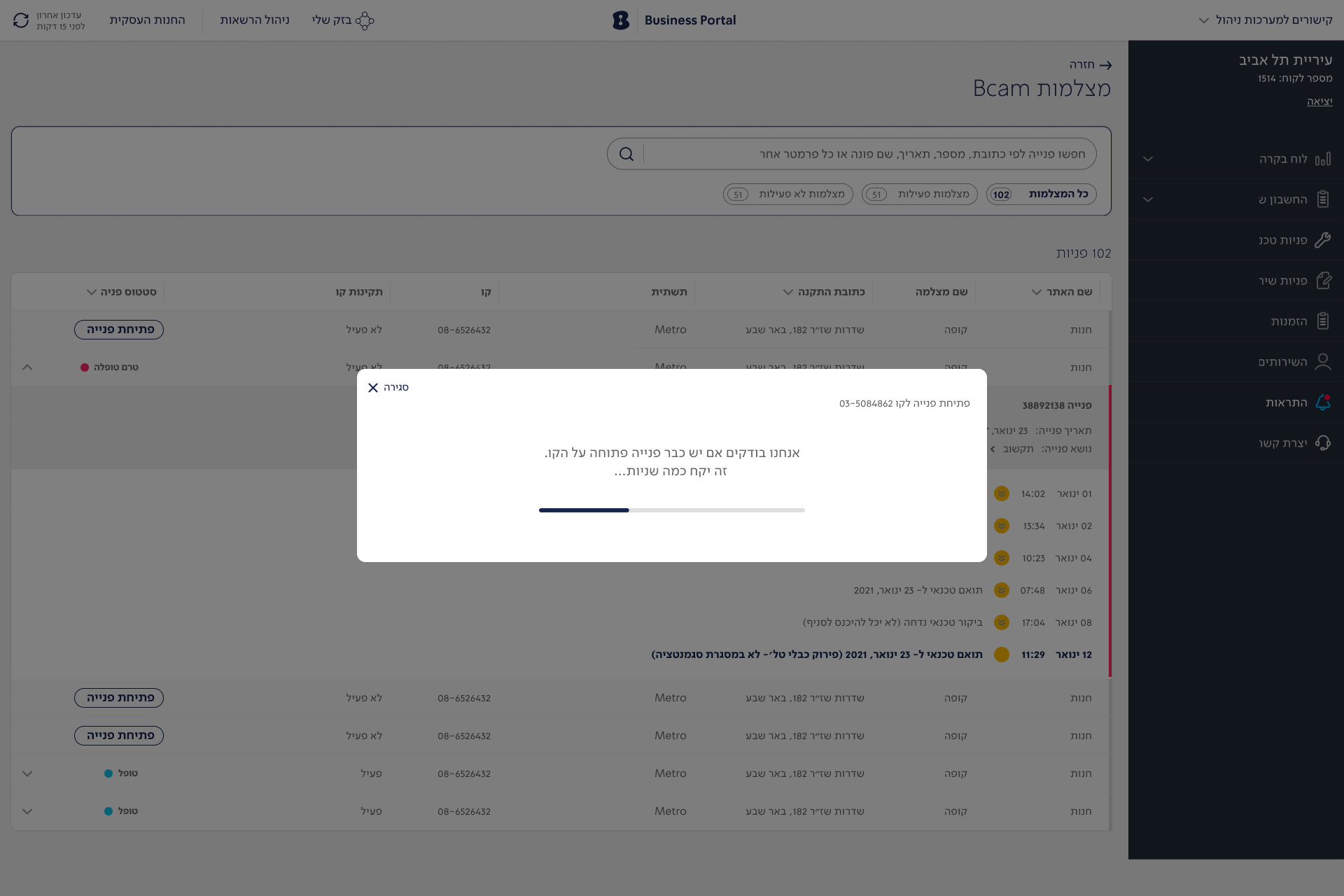
The Bcam service in the Business Portal offers a comprehensive solution for managing and monitoring security cameras across various business locations. Key features include real-time camera feeds, detailed status tracking, and easy access to camera settings. Users can filter cameras by location, type, and operational status, allowing quick identification of any issues such as offline cameras or maintenance needs. The service also provides access to historical footage and the ability to switch between multiple camera views, offering a clear overview of on-site activities.

provides a comprehensive view of all service orders, displaying details like status, type, and scheduled technician visits. Users can easily track the progress of each order with a clear timeline, reschedule appointments through an intuitive calendar interface, and view detailed order history

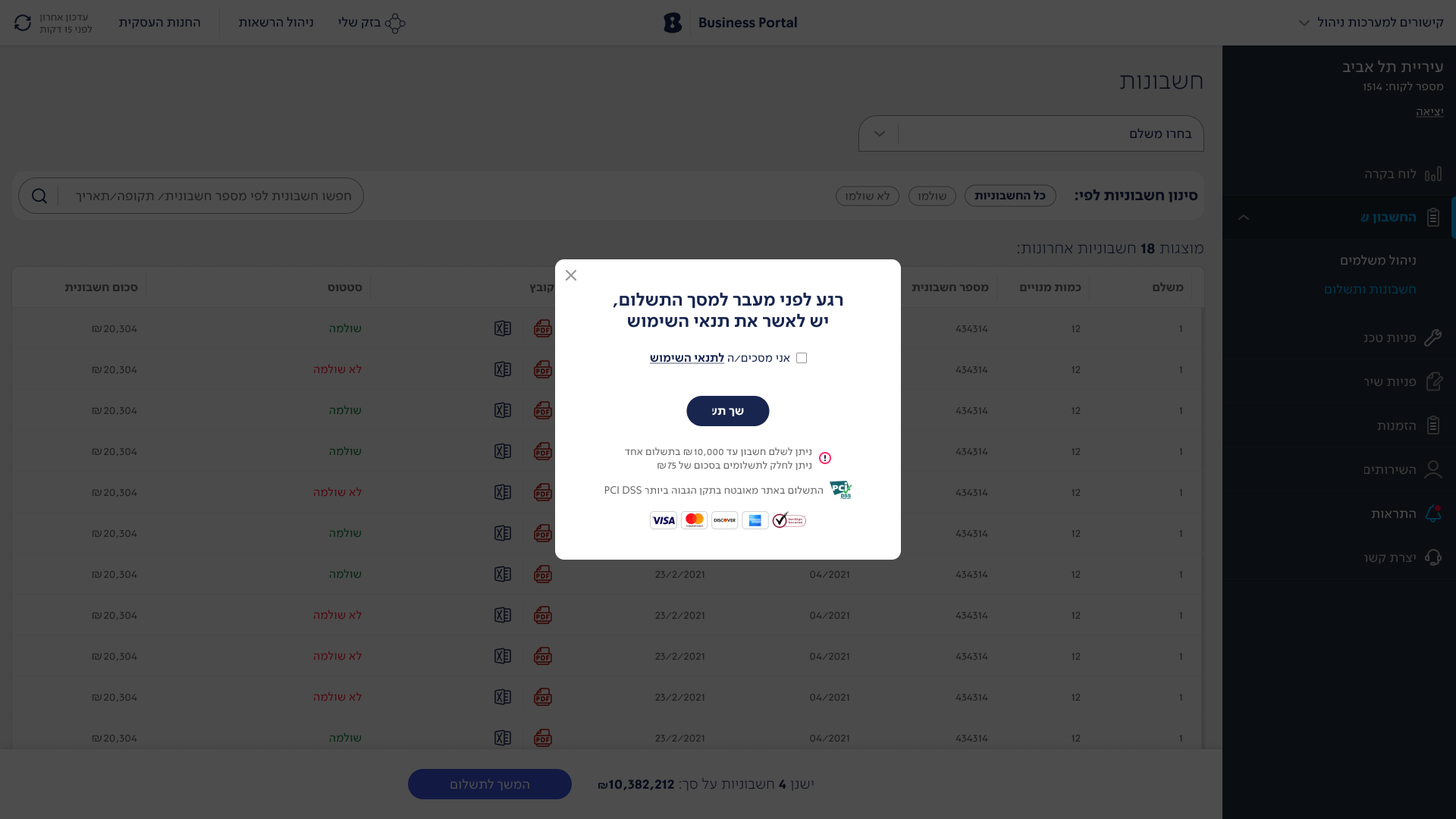
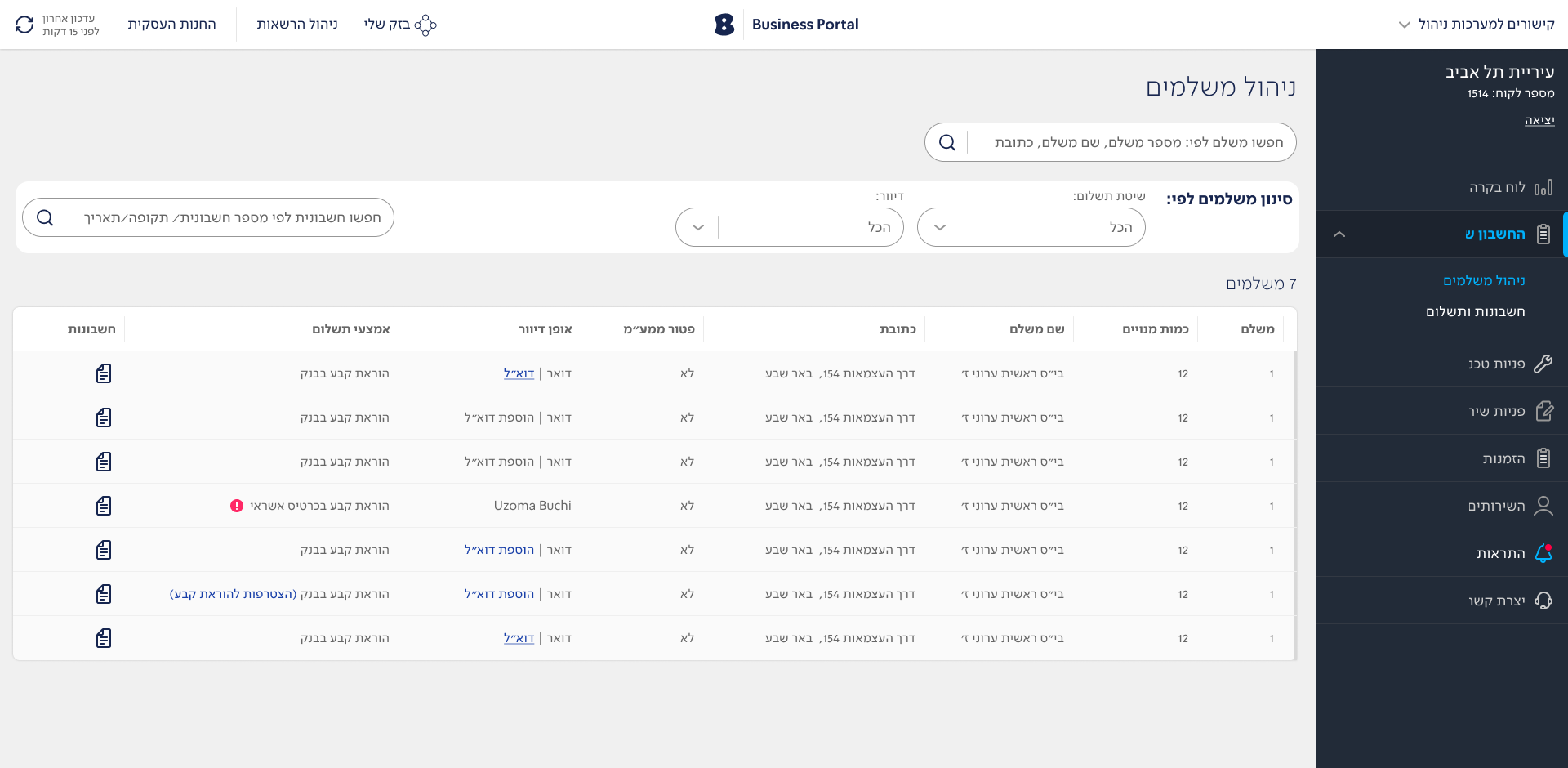
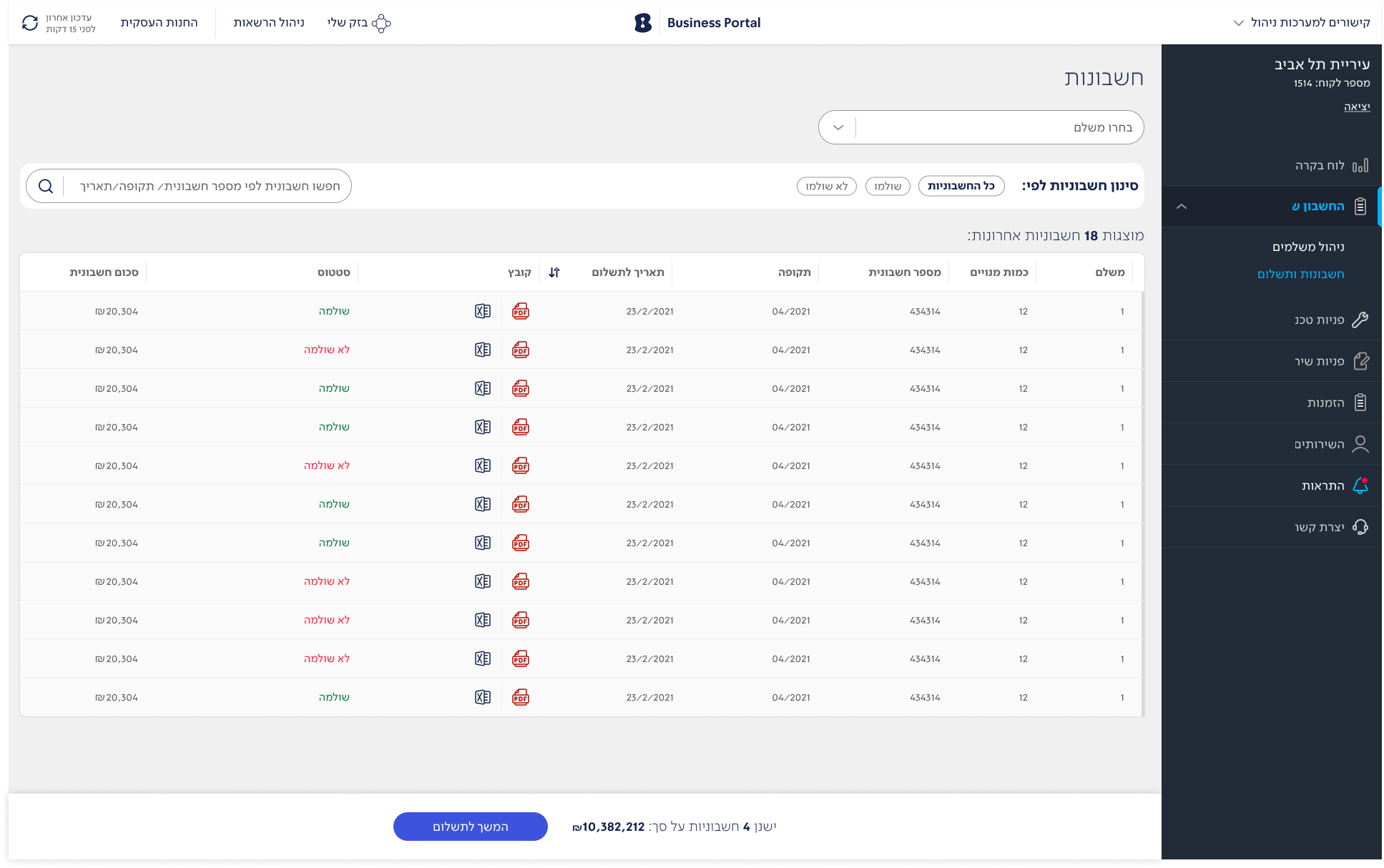
The Payers and Bills section within the “My Account” screens provides users with a clear and organized overview of all billing activities and payment methods. Users can view detailed lists of their bills, including payment statuses, amounts, and due dates, allowing them to manage and track their financial obligations efficiently. The interface supports filtering options, enabling quick access to specific invoices and transactions. Additionally, users can update payment details, review payment methods, and resolve issues with flagged payments directly through the system. This design aims to enhance user control over account management, making bill tracking and payment handling straightforward and accessible.

Energy

The new Energy feature in the Business Portal provides users with an in-depth view of their energy consumption and costs, offering valuable insights for better management. This feature includes detailed visualizations, such as comparative charts and trend graphs, that allow users to monitor usage patterns over time, compare consumption between different periods, and identify areas for potential savings. Users can easily filter data by specific criteria, such as meter type, time range, or location, making it simple to analyze and adjust energy usage accordingly.

Reflection

This project was driven by real user involvement at every stage, from initial design through continuous testing. Engaging directly with Bezeq Business customers allowed me to see firsthand the challenges they faced—unclear navigation, lack of real-time feedback, and complex service management. Their insights were invaluable, guiding design decisions and ensuring every iteration brought us closer to a user-friendly, efficient solution. The process was a true collaboration, and it underscored the power of designing with users, not just for them, creating a portal that truly meets their needs.