PM Dashboard

Context

The Product Managers Dashboard was developed in response to the need for a centralized platform that enhances the efficiency and effectiveness of project management within the organization. The existing tools lacked integration, leading to fragmented data and slow decision-making processes. Managers required a comprehensive, real-time system to oversee projects, tasks, orders, and team performance metrics, making it crucial to streamline these operations into a single, intuitive dashboard.

Role

Solo UX Designer
UI Mentor (Reut Levi, Netcraft)

Team

9 Team Members

Project Objectives

  • Provide managers with a real-time overview of all key metrics, including project status, task progress, and order management.
  • Offer detailed insights and performance analytics to support informed decision-making and proactive management.
  • Integrate alerts, notifications, and chat features to facilitate better communication between managers and their teams.
  • Implement a system that tracks performance and compensation metrics to motivate teams and align rewards with results.
  • Minimize manual tracking and errors by automating data presentation and simplifying access to critical information.

Results

  • Reduced time spent on manual data management, allowing managers to focus more on strategic tasks.
  • Enhanced data visibility led to more informed and faster decisions, improving project delivery timelines by 21%.
  • The compensation tool led to a 12% improvement in aligning performance with rewards, resulting in better team motivation and achievement rates.
Research

User interviews

15 project managers (PMs) from various positions were interviewed to understand their challenges, needs, and daily workflows.

Key Insights:

  • Need for Centralization: All PMs highlighted the need for a single, unified platform to streamline project management, which was critical in designing a dashboard with integrated data and features.
  • Efficiency in Decision-Making: The desire for real-time data and alerts influenced the development of widgets that provide up-to-date information and proactive alerts.
  • Communication Gaps: The struggle with fragmented communication tools led to the inclusion of built-in chat and notification systems to enhance team collaboration.
  • Compensation and Performance Tracking: The importance of aligning performance with rewards shaped the inclusion of a comprehensive compensation management tool.

Insights-Driven Personas

User interviews identified three key personas: Yossi, a Team Manager focused on task management and team performance; Tali, a Department Head needing a consolidated view of team metrics for strategic decisions; and Omer, a Senior Project Manager requiring quick access to data and real-time alerts to keep projects on track. Their distinct goals and challenges shaped the Product Managers Dashboard, emphasizing data visibility, compensation management, and integrated communication tools to support efficient management.

Ideation

Shaping the Dashboard Through User Feedback

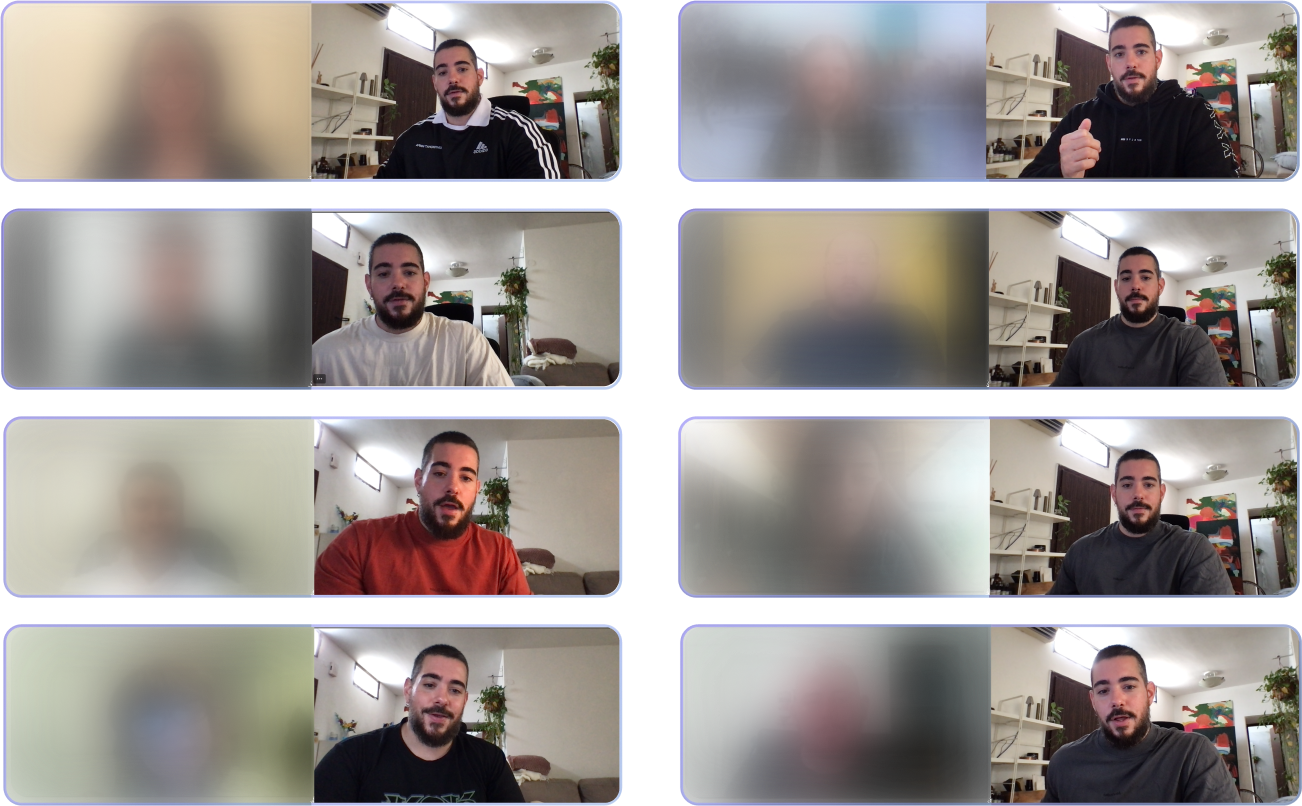
The ideation phase of the Product Managers Dashboard involved iterative user testing and collaborative meetings to refine the design. The images highlight key design iterations, reflecting feedback from real-world usability tests with project managers. Through multiple workshops and direct user feedback, the design evolved to address specific needs, optimize navigation, and enhance visual clarity.

Solution

Responsive Design for On-the-Go Project Management

The design focuses on creating a fully responsive dashboard that PMs can access seamlessly, whether in the office, on-site, or remotely. The design ensures that the platform adapts perfectly to various devices, allowing PMs to engage with their primary work tool anytime and anywhere.

Tailored Views for Managers and PMs

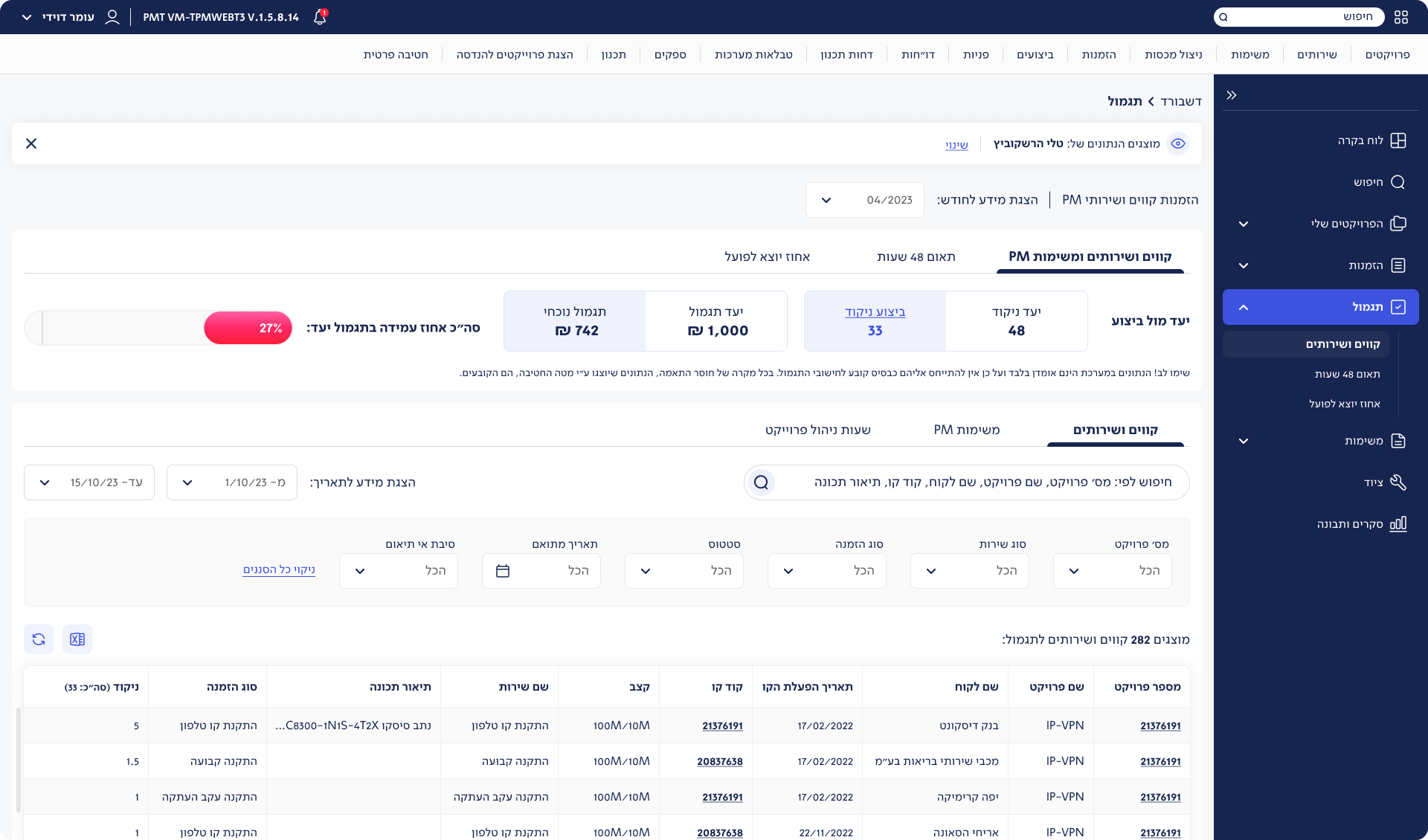
The main dashboard serves as the central hub for managers and PMs, providing a comprehensive view of key metrics and tasks. The manager’s screen is designed to oversee team performance, task management, and project statuses, offering a broad overview that supports decision-making across multiple teams. In contrast, the PM’s screen focuses more on individual project tracking, order management, and specific task performance, enabling PMs to dive into detailed data relevant to their ongoing projects. These screens are tailored to each role’s unique responsibilities, optimizing workflow and enhancing efficiency.

Compensation

To improve the Business Portal, focus on providing real-time feedback, enhancing mobile usability, and expanding self-service options for complex tasks. Simplify navigation with clearer terminology, and introduce customizable access controls for managers. These changes will boost user engagement, reduce reliance on support, and make the portal a more effective business tool.

Orders

The Orders screen features a clear table layout with sortable columns for easy data comparison. Key UX elements include advanced filtering, search functionality, and expandable rows for quick access to order details without leaving the page.

Projects

The Projects screen includes tabs for different project handling statuses, offering a comprehensive overview. Users can pin projects to focus on key priorities, enhancing projects management. 

Tasks

asks screen is designed to streamline task handling across various stages. The screen features a structured table layout with sortable columns and filters, allowing users to organize tasks by status, priority, and assignees. Tabs provide a clear overview of tasks in different handling phases, enhancing the manager’s ability to monitor progress.

Reflection

One of the key challenges in designing the Product Managers Dashboard was addressing the diverse needs of multiple users, each with distinct roles and responsibilities. Balancing the requirements of team managers, department heads, and senior PMs was a complex task, as each user type needed tailored views and specific functionalities to manage their projects effectively. As the project owner, it was crucial to put things in order—to prioritize features that served the broader goals while still catering to individual needs. This meant making tough decisions on layout, data presentation, and access levels, ensuring the dashboard was not only functional but also intuitive for all users. The responsibility of orchestrating these diverse requirements into a cohesive, user-friendly platform reinforced the importance of clear communication, careful planning, and constant iteration to deliver a tool that truly empowers its users.